
/RECOLOR · CHATGPT
Change one color
Change only the selected surface color and retain its texture, lighting and geometry.
productscars
Isolate the subject against a clean neutral background, preserving fine edges.
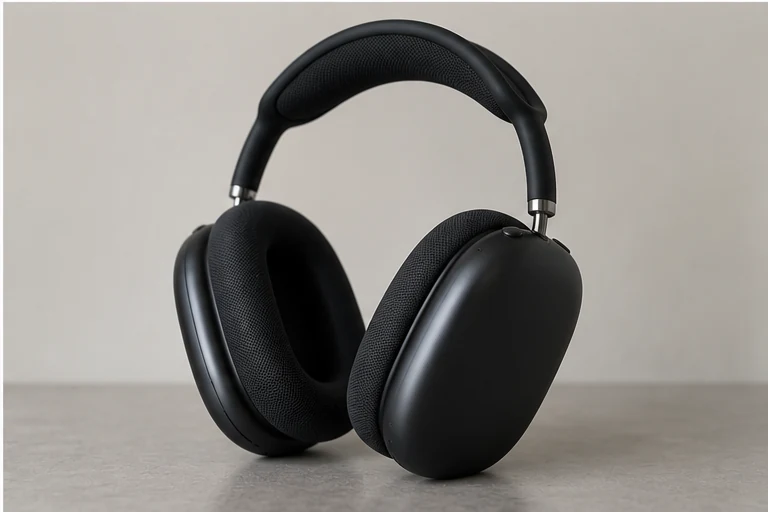

Use a well-separated subject with visible fine edges, especially hair, fur or thin object parts.
Isolate the subject against a clean neutral background, preserving fine edges.
Recognizable identity, silhouette and important visible details. Compare the output to the original before using it.
Fine edges determine whether an isolated subject looks credible: hair gaps, handles and spaces between spokes are as important as the outer contour. A simple source background makes those boundaries easier to assess.
Check at full size for halos and missing holes. Ask for a local edge correction instead of regenerating the entire subject. Verify the file's actual alpha channel if you need transparency; a checkerboard drawn into an image is not transparency.
/SHADOW — After isolation, a controlled contact shadow can ground the object in a new studio setting.
These are editing suggestions, not additional test observations. Read the practical guide or use the before/after checklist.
Useful for a neutral-background composition. Inspect edge halos and missing details; a rendered background is not proof of an editable transparent cutout.
Input advice and use cases are editorial guidance, not additional test results.
Clean white background and legible edges; two cups, padding and headband retained. Not a transparent-alpha deliverable.
2026-09-20 · Work built-in image_gen
These notes describe the named runs, which may use a different subject from the comparison above. They do not guarantee results on another input or a future model. See our testing method.
Change only the selected surface color and retain its texture, lighting and geometry.
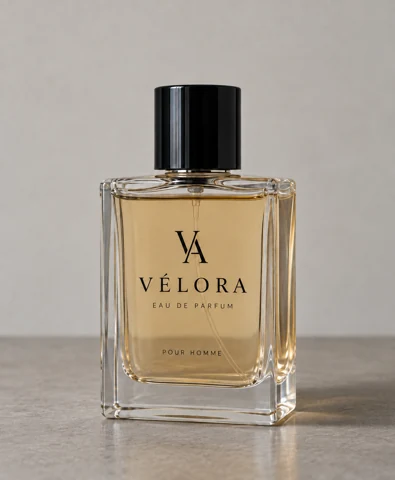
Add a grounded contact shadow matching the light direction without altering the product.
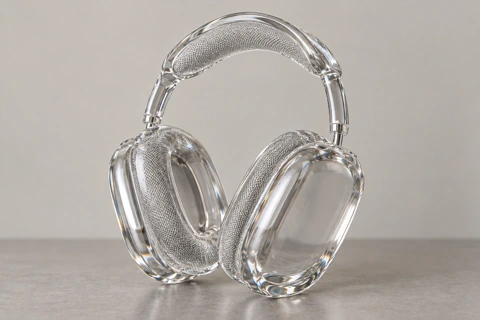
Reimagine the subject as a transparent glass sculpture, with clear edges and refraction.

Apply a polished chrome surface while retaining recognizable shapes.