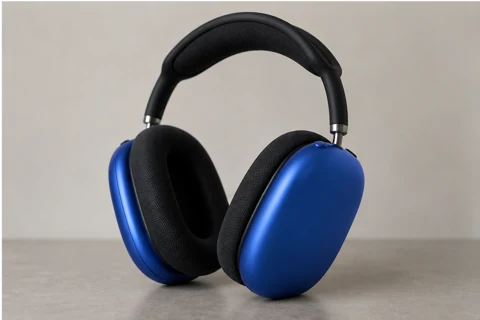
/RECOLOR · CHATGPT
Change one color
Change only the selected surface color and retain its texture, lighting and geometry.
productscars
Extend the canvas around the photograph without changing the original subject.
The recorded attempts did not preserve the original region reliably enough for an approved example.
Extend the canvas around the photograph without changing the original subject.
Recognizable identity, silhouette and important visible details. Compare the output to the original before using it.
The preserved failure state matters: extending a frame can invent architecture, limbs or landscape beyond what was photographed. Use the existing documentation to understand the limitation rather than assuming a larger canvas preserves factual detail.
If experimenting independently, keep the original region as a comparison and inspect the joins first. A simpler crop or another source photo may meet the composition need without invented borders. No successful new attempt is claimed here.
/BACKGROUNDREPLACE — A setting-change recipe is a different creative task; it should not be described as recovery of missing image content.
These are editing suggestions, not additional test observations. Read the practical guide or use the before/after checklist.
This recipe remains FAILED and outside the main catalog grid. Do not treat it as a reliable outpainting workflow; no further attempt is included here.
Input advice and use cases are editorial guidance, not additional test results.
Output enlarged/cropped subject instead of preserving full original portrait while expanding sides.
2026-09-20 · Work built-in image_gen (model version not exposed)
Second attempt leaves hard rectangular torso cutouts instead of completing the background naturally. First attempt enlarged/cropped the original subject. Both rejected; no third generation.
2026-09-20 · Work built-in image_gen
These notes describe the named runs, which may use a different subject from the comparison above. They do not guarantee results on another input or a future model. See our testing method.
Change only the selected surface color and retain its texture, lighting and geometry.
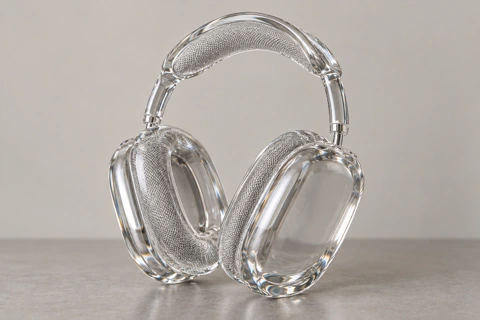
Reimagine the subject as a transparent glass sculpture, with clear edges and refraction.
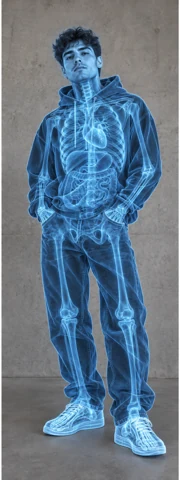
Create a fictional X-ray style illustration. Internal structures are illustrative, not factual.
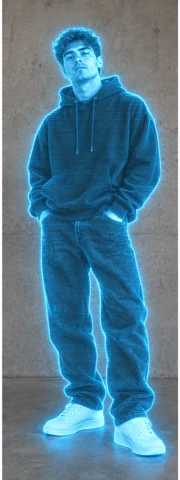
Recreate the subject as a cyan holographic projection with a clear outer contour.